Turn Claude Code into your mobile pair programmer
24 hands-on lessons, 100 app ideas with build plans and the Mobile Dev Kit: ready-to-use CLAUDE.md templates, slash commands, hooks, skills, subagents, plugins and MCP setups for React Native, iOS and Android projects.
By Neetu Sharma, mobile app developer
Petmeetly, an app we vibe coded, now earns over $3,000 a monthNot typical. Most new apps earn little.Secure payment by Razorpay: UPI, cards and netbanking.
- 24 lessons
- 2 h 4 min
- 100 app ideas
- Mobile Dev Kit
- Certificate
- Lifetime access
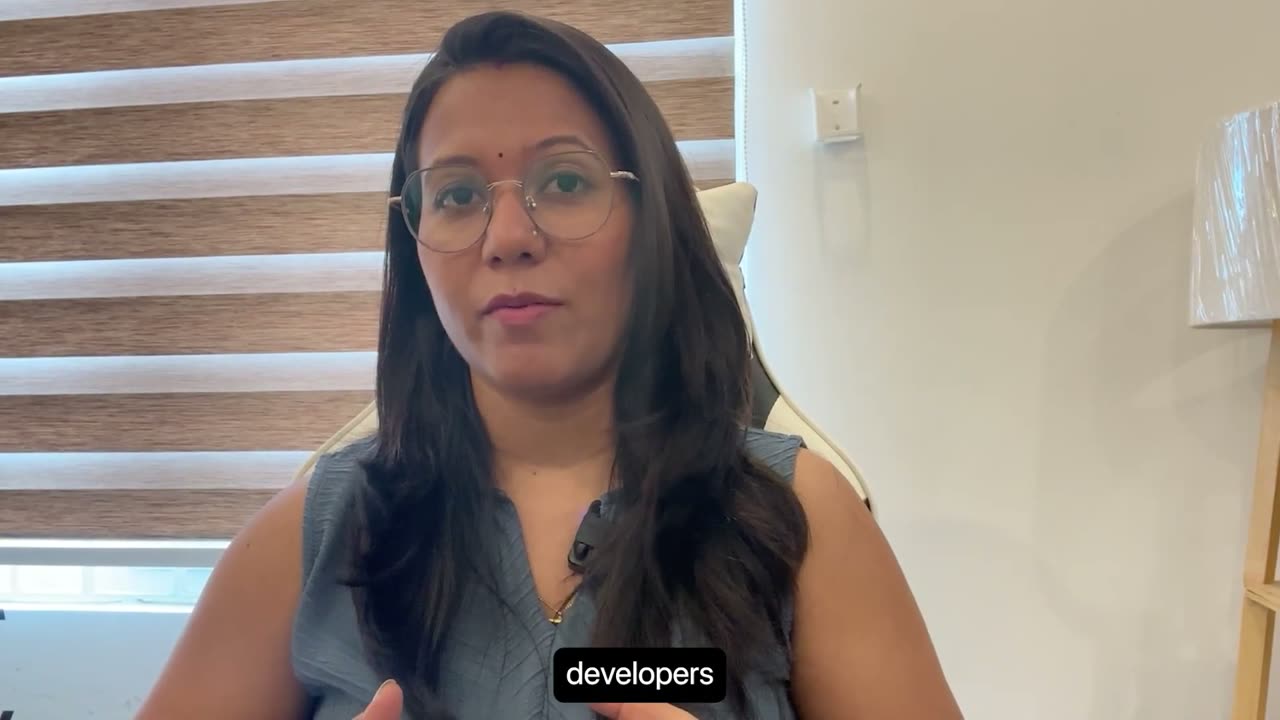
Out of the box, Claude Code doesn't know your app
It can write a screen in seconds. Getting code you'd actually merge takes setup most developers skip.
Sound familiar?
- It asks before every edit, or you allow everything and hope nothing breaks.
- Every new session, you explain your navigation, state and styling rules again.
- Long chats fill the context window and the answers get worse.
- You type the same review prompt for every bug, PR and release.
- MCP, subagents, skills, hooks, plugins: you're not sure which ones help a mobile repo.
After the course, you can
- Install Claude Code, connect it to your editor and configure it globally and per project.
- Manage sessions, context and usage limits, and use the CLI commands that save time.
- Pick the right permission mode, work inside Docker or the built-in sandbox, and rewind changes you don't like.
- Write prompts and a CLAUDE.md that make it follow your project's rules, and plan before it codes.
- Connect external tools with MCP and hand work to built-in and custom subagents.
- Build skills and custom commands for bug, security and performance reviews.
- Automate your React Native workflow with hooks, and use plugins for Figma, GitHub and Jira.
The course covers one feature per short lesson, shown on a React Native app. The Mobile Dev Kit then gives you the files to do the same in your own repo.
Not sure what to build? Pick an idea and open it on a phone
100 ideas from our own review of new iOS and Android apps, picked so a solo developer can start. Tap one to see what it is, how it charges, what $3,000 a month would take, and how to build and launch it. All 100 are also on our searchable ideas site.
Ideas come from our own review of app listings and product pages, October to November 2026. They are starting points, not a promise of income: most new apps earn little, and results depend on what you build and how you market it.
An app we've built: Petmeetly
Petmeetly is one of the apps we vibe coded. It now earns more than $3,000 a month. Here's the path this course teaches, step by step.
$3,000 to $5,000 a month is a target to plan around, not a promise. Petmeetly's result is not typical. Most new apps earn little, and what you earn depends on your idea, your marketing and the time you put in.
What would $3,000 to $5,000 a month take?
Move the sliders. It's plain arithmetic, so you can see how many paying users a price needs before you build anything.
Working on your phone isn't the same as production-ready
This is where a lot of AI-built apps stall. Answer 10 quick questions and see what's between your app and real paying users. The Production Playbook in module 7 covers each gate.
Watch an idea go from prompt to store
Press play or pick a step. The commands come from the Mobile Dev Kit.
Built for working mobile developers
This is for you if
- You build apps with React Native, Swift or Kotlin and want Claude Code to follow your project's rules.
- You've installed Claude Code but mostly use it like a chat window.
- You want reviews, tests and release steps written once, and a clear path from working app to production.
- You want to stay in control of what the AI edits, runs and commits.
Skip it if
- You want to learn programming from scratch. This course doesn't teach React Native, Swift or Kotlin basics. Never coded and just want to ship an app? See the no-code path.
- You want someone else to build the app for you. You stay in charge of what ships.
- You won't have Claude Code access. It needs a paid Claude plan or an Anthropic API account, which this course doesn't include.
24 lessons in 7 modules
2 h 4 min of video in a fixed order, from install to plugins. Every lesson title is listed here, so you know exactly what you're buying.
M1 Getting Started
- 01Series Overview & Introduction Free preview
- 02Install Claude Code & Connect Your Editor
- 03Basic Usage & IDE Integration
- 04A Quick Tour of the Claude Desktop App
M2 Configure & Everyday Usage
- 05Configuration & Settings
- 06Sessions, Context & Usage Limits
- 07Essential CLI Commands & Tips
M3 Safety: Permissions, Sandboxes & Workflow
- 08Permissions Explained: File Edits, Git Commands & Safety
- 09Docker Sandboxes: Safer AI Coding
- 10Built-in Sandbox Mode: Auto-Allow vs Regular Permissions
- 11Track, Review & Revert Changes
M4 Prompt & Context Engineering
- 12Module Intro: Prompt & Context Engineering
- 13The Prompt Engineering Blueprint
- 14Project Memory: CLAUDE.md Explained
- 15Plan Mode: Think Before Coding
- 16The Built-in Tools: Read, Edit, Write, Grep, Glob & Bash
M5 MCP & Subagents
- 17Model Context Protocol (MCP): Connect External Tools
- 18Built-in Subagents: Explore, Build & Execute
- 19Custom Subagents: From Built-in to Custom Agents
M6 Skills, Commands, Hooks & Plugins
- 20Skills: Build Reusable AI Workflows
- 21Enhancing Skills: Custom & Community Skills
- 22Custom Commands: Bug, Security & Performance Reviews
- 23Hooks: Automate Your React Native Workflow
- 24Plugins: Figma, GitHub & Jira
M7 Mobile Dev Kit, App Ideas & Production Playbook (downloads)
- zipMobile Dev Kit: CLAUDE.md templates, settings presets, slash commands, subagents, skills, hooks, MCP setups, plugin bundle and prompt templatesdownload
- pdfClaude Code cheat sheetdownload
- pdfTop 100 App Ideas: a build plan for every idea, plus a spreadsheetdownload
- pdfApp Ideas Playbook: full guides for 15 ideasdownload
- pdfProduction Playbook: prototype to the stores, in 10 gatesdownload
Total: 24 lessons · 2 h 4 min · English · 1080p
The Mobile Dev Kit: files you drop into your repo
The lessons show how each Claude Code feature works. The kit gives you working versions built for mobile projects, ready to copy, edit and commit. You'll find it in module 7.
-
015 templates
CLAUDE.md templates
Project memory that tells Claude Code how your app is built: folder structure, navigation, state, styling, and the commands to build, lint and test. Start every session with your rules already loaded.
-
02presets
Settings presets
Safe settings.json permission sets for mobile repos, so routine commands don't need approval every time and risky ones stay blocked. Includes sandbox notes.
-
039 commands
Slash commands
One command per repeat job: bug, security, performance and accessibility reviews, a release checklist, test writer, crash explainer, PR description and an Expo SDK upgrade.
-
047 subagents
Subagents
Specialists Claude Code can hand work to: RN UI builder, mobile test writer, crash investigator, code reviewer, accessibility auditor, performance profiler and release manager.
-
055 skills
Skills
Step-by-step workflows for jobs mobile devs repeat: Expo EAS build and submit, RN screen scaffold, Figma-to-RN screen, App Store and Play Store release notes, i18n strings.
-
065 hooks
Hooks
Guardrails that run on their own: auto-format after edits, block edits to generated folders (Pods, build, .expo), typecheck on stop, a desktop notification and a secret guard.
-
075 setups + bonus
MCP setups
Ready-made configs to connect Claude Code to Figma, GitHub, Jira/Atlassian, mobile simulator control and XcodeBuild, plus Supabase as a bonus.
-
081 plugin
Plugin bundle
The whole kit packaged as one Claude Code plugin. Install it instead of copying files by hand, and get the commands, subagents, skills and hooks in any project.
-
097 templates
Prompt templates
From the Prompt Engineering Blueprint lesson: an app spec blueprint, plan mode kickoff, new feature, bug fix, refactor, a screen from a screenshot or Figma frame, and a code review request.
-
10PDF
Cheat sheet
Commands, shortcuts, permission modes, and which file lives where, in one PDF to keep next to your editor.
Learn from a mobile developer

Neetu Sharma
Mobile app developer
Neetu teaches iOS (Swift) and React Native development on YouTube. In this course, Neetu uses Claude Code on a React Native app, one feature per lesson, from install and permissions to subagents, skills, hooks and plugins.
youtube.com/@neetusharma-appdevEverything in the course
- 24 HD video lessons2 h 4 min in 1080p, in English, in 7 modules from setup to plugins.
- The Mobile Dev Kit10 parts: CLAUDE.md templates, settings presets, slash commands, subagents, skills, hooks, MCP setups, a plugin bundle, prompt templates and the cheat sheet PDF.
- Top 100 App IdeasA build plan for all 100 ideas: MVP scope, stack and a ready-to-paste Claude Code prompt, as a PDF and a spreadsheet.
- App Ideas PlaybookFull guides for 15 of those ideas: how to stand out, risks to watch and a go or no-go check. A starting point, not an income promise.
- Production PlaybookTake a Claude Code app from prototype to the stores through 10 gates, from keys and payments to privacy and store review, with prompts to paste and first-time setup steps.
- Certificate of completionWhen you finish the course.
- Private chat room for buyersAsk questions about the lessons inside TagMango.
- Lifetime access, self-pacedStart any time and rewatch any lesson on your phone or laptop.
- 24 lessons, 2 h 4 min
- Mobile Dev Kit and cheat sheet
- Top 100 App Ideas, with 15 full playbooks
- Production Playbook
- Certificate and buyers' chat room
- Lifetime access on TagMango
Secure payment by Razorpay: UPI, cards and netbanking.
All sales are final because the kit downloads right away, so watch the free lesson and read the syllabus first. Claude Code itself needs a paid Claude plan or an Anthropic API account, which is not included.
Questions, answered
How do I get access after paying?
The course unlocks right after payment, and the next page shows the login steps. Log in at TagMango with the same phone number or email you paid with, and you'll find the course under Courses. We also email you the steps.
Do I need a paid Claude plan?
Yes. Claude Code needs either a paid Claude plan (such as Pro or Max) or an Anthropic API account with billing set up. That cost is separate from this course and is paid to Anthropic, not to us.
What should I know before I start?
You should already build apps with React Native, Swift or Kotlin and be comfortable with a terminal and basic git. You need a computer that can run Claude Code (macOS, Windows or Linux) and a code editor. The lessons use Antigravity; VS Code and Cursor work the same way. Docker is optional and only used in the Docker sandbox lesson.
Never coded before? The no-code version of this page explains how to use the course as a first-timer.
Which stacks does it cover?
The lessons are demonstrated on a React Native app running in the iOS simulator. The Claude Code features you learn (permissions, CLAUDE.md, plan mode, MCP, subagents, skills, commands, hooks and plugins) work the same in any repo.
The Mobile Dev Kit includes CLAUDE.md templates for React Native + Expo, bare React Native, iOS (SwiftUI), Android (Kotlin + Compose) and Flutter.
Are these the same videos as on Neetu's YouTube channel?
The 24 lessons come from Neetu's Claude Code series for mobile developers. Here they're organised into 7 modules and play ad-free inside TagMango. What you only get by buying: the Mobile Dev Kit, the cheat sheet, the build plans, the Production Playbook, a certificate of completion and the private chat room for buyers.
What are the 100 app ideas?
A shortlist from our research on new iOS and Android apps, there to give you something real to build while you learn. Anyone can search the ideas on our site. Module 7 of the course adds a build plan for all 100 (MVP scope, suggested stack and a ready-to-paste Claude Code prompt, as a PDF and a spreadsheet), plus the App Ideas Playbook: full guides for 15 of them, with ways to stand out, risks to watch and a go or no-go check. It is not a promise of income: most new apps earn little, and our market signals are our own judgment, which can go out of date.
Can an app really earn $3,000 to $5,000 a month?
Some do. Petmeetly, an app we vibe coded, earns more than $3,000 a month. But most new apps earn far less, and many earn nothing. Treat the figure as a target to plan around, and use the calculator to see what it takes. This course teaches the build and the launch. It can't promise a result.
Is this passive income?
Not really, at least not at first. Building, testing and finding users is real work, and a live app still needs updates, support and marketing. A stable app can take less of your time later, but don't plan on it running itself.
What does production-ready mean here?
Safe and ready for real users and real money. We check 10 gates: keys and secrets, accounts and data rules, payments, crash reporting, errors and bad networks, AI and API cost limits, real-device testing, privacy and permissions, store listing and review, and updates and rollback.
The Production Playbook covers each gate, with prompts to paste and a way to check the result yourself. It's a strong checklist, not a guarantee: you're still responsible for what you publish, and apps that handle health, money or children's data need expert review.
What is the Production Playbook?
A PDF in module 7, written in plain language. It takes a Claude Code app from prototype to the stores through the 10 gates: what can go wrong, what to paste into Claude Code, and how to check the result. It also has setup steps for people who have never used a terminal.
Do I get a certificate?
Yes. You get a certificate of completion when you finish the course on TagMango. It shows you completed this course. It is not a certification from Anthropic.
How long can I access the course?
Lifetime access: watch at your own pace and rewatch any lesson for as long as the course is on TagMango. The kit files you download are yours to keep.
Can I get a refund?
All sales are final, because the Mobile Dev Kit can be downloaded the moment you buy. That's why lesson 1 and the full syllabus are public: watch the preview and read every lesson title before you pay.
If you were charged twice, or paid but can't get into the course, email us and we'll sort it out. Details are in the refund policy.
What language is the course in?
English.
Is the payment secure?
Checkout and payment happen on TagMango and are processed by its payment partner, Razorpay. We never see your card, UPI or bank details.
Is this an official Anthropic course?
No. It's an independent course by Neetu Sharma, not affiliated with or endorsed by Anthropic.
How do I get help?
Email appyseaofficial@gmail.com and include the phone number or email you used to pay. For questions about the lessons, use the private chat room for buyers on TagMango. More on the contact page.
Set up Claude Code once. Use it on every app you build.
24 lessons, 100 ideas with build plans, the Mobile Dev Kit, the Production Playbook and lifetime access.
Secure payment by Razorpay: UPI, cards and netbanking.